
Over 43% of websites worldwide rely on CMS platforms in 2026, yet many independent authors and musicians still struggle to build professional sites without technical expertise. A content management system (CMS) removes coding barriers and simplifies website creation, especially when integrating creative assets like Spotify links or ISBN numbers. This guide explains what a CMS is, how it works for creatives, and practical steps to launch your website quickly and confidently.
Key takeaways
Point | Details |
|---|---|
CMS eliminates coding | A content management system enables website creation and management without programming skills. |
Creative integrations matter | CMS platforms support Spotify embeds and ISBN integrations tailored for musicians and authors. |
Popular platforms vary | WordPress, Wix, and Squarespace offer different strengths in customization, ease of use, and pricing. |
Flexible pricing models | Many CMS options provide free or freemium plans without mandatory expensive subscriptions. |
Faster website launches | Using a CMS can reduce launch times from months to under three weeks. |
What is a website CMS? Definition and core functions
A content management system is software that lets you create, edit, and manage website content without writing code. Instead of manually building HTML pages or editing complex files, a CMS provides graphical interfaces where you add text, images, and media through simple forms and editors. This abstraction of technical complexity means you focus on your content while the CMS handles the underlying structure.
Key CMS functions include content editing through visual editors, template selection for consistent design, and plugin management to add features. For example, you can update your tour dates, add new album artwork, or publish book excerpts without touching a single line of code. CMS platforms power over 43% of websites globally in 2026, proving their widespread reliability and utility across industries.
CMS platforms simplify three critical tasks:
Content creation and editing through intuitive dashboards
Design customization using pre-built templates and themes
Feature expansion via plugins or extensions for specialized needs
The high adoption rate reflects how CMS core functions solve real problems for non-technical users. Authors can manage book catalogs, musicians can embed playlists, and both can update content instantly without waiting for developers. This independence accelerates your ability to engage fans and readers while maintaining full creative control over your digital presence.
Pro Tip: Start with a CMS that offers a staging environment where you can test changes before publishing them live to your audience.
How CMS works: User-friendly website management for creatives
CMS platforms operate through graphical user interfaces that replace coding with visual tools. You log into a dashboard, select a page or post, and edit content using familiar formatting options similar to word processors. Behind the scenes, the CMS converts your edits into properly structured web code, but you never see or manage that technical layer directly.

This approach reduces update time by approximately 70% for independent creatives compared to manual coding. Tasks that once required hiring developers, such as adding a new gallery or updating contact information, now take minutes instead of days. The average website launches in under three weeks using a CMS versus several months for custom-coded sites built from scratch.
CMS platforms include essential features that streamline the website design process:
Drag and drop page builders for layout customization
Media libraries for organizing images, videos, and audio files
Built-in SEO tools to optimize content for search engines
Analytics dashboards tracking visitor behavior and engagement
Mobile responsive templates ensuring sites work on all devices
Templates provide professional starting points you can customize with your brand colors, fonts, and imagery. Plugins extend functionality, adding features like contact forms, event calendars, or e-commerce capabilities. This modular approach means you start simple and add complexity only when needed, avoiding overwhelming technical decisions at launch.
Pro Tip: Choose a CMS with live preview functionality so you see exactly how changes appear to visitors before publishing updates.
Leveraging Spotify links and ISBN numbers in CMS platforms
Musicians can embed Spotify players directly into CMS pages, allowing visitors to stream music without leaving your website. This integration can boost fan engagement by 35% compared to external links that redirect users away from your site. Embedded players keep audiences immersed in your content ecosystem while showcasing your catalog professionally.
Authors using ISBN numbers benefit from automated book data integration that can handle up to 90% of content setup. Instead of manually entering book titles, descriptions, cover images, and metadata, CMS platforms with ISBN support pull this information from databases like Google Books or Amazon. This automation saves hours and ensures accuracy across your book catalog.
Spotify embeds have been linked to 25% increases in merchandise sales when combined with prominent call-to-action buttons. Fans who listen to tracks on your site show higher conversion rates for purchasing physical albums, concert tickets, or branded items. The seamless experience builds trust and reduces friction in the buyer journey.
Integrating these creative assets follows straightforward steps:
Obtain your Spotify artist URI or track link from the Spotify for Artists dashboard
Navigate to your CMS page editor and select the embed or widget option
Paste the Spotify link into the designated field
Adjust player size, theme, and display preferences through simple controls
Preview the embedded player to confirm proper formatting and functionality
Publish the page to make the player live for your audience
For authors, ISBN integration typically requires entering the 13-digit number into a dedicated field. The CMS then queries book databases and populates title, author name, publication date, synopsis, and cover art automatically. You review the imported data, make any necessary edits, and publish your book page within minutes. This efficiency lets you build comprehensive author pages showcasing entire catalogs without repetitive manual data entry.
Popular CMS options for independent authors and musicians
Three platforms dominate the CMS landscape with distinct strengths suited to creative professionals. WordPress powers 43% of CMS websites, Wix captures 15%, and Squarespace holds 6% market share in 2026. Each offers different balances of flexibility, ease of use, and pricing models that impact your website building experience.
Platform | Best For | Key Strength | Pricing Model | Integration Support |
|---|---|---|---|---|
WordPress | Advanced customization | Largest plugin ecosystem with 60,000+ options | Free core, paid themes/plugins | Extensive ISBN and Spotify plugins available |
Wix | Quick setup | Drag and drop builder with built-in Spotify embeds | Freemium with premium tiers starting at $16/month | Native Spotify integration, manual ISBN setup |
Squarespace | Visual elegance | Beautiful templates with built-in SEO and analytics | Subscription-based starting at $16/month | Spotify embeds via code blocks, limited ISBN plugins |
WordPress offers unmatched flexibility through its massive plugin library, letting you add virtually any feature imaginable. This extensibility comes with a steeper learning curve, but you gain complete control over functionality and design. Self-hosted WordPress is free, though you pay for hosting, domain, and premium themes or plugins as needed.
Wix prioritizes simplicity with its visual editor that requires zero coding knowledge. Musicians appreciate the built-in Spotify integration that works out of the box without installing plugins. The freemium model lets you start free with Wix branding, then upgrade to remove ads and add custom domains when ready.
Squarespace targets creatives who value design aesthetics and want professional templates with minimal customization effort. The platform includes SEO tools, analytics, and e-commerce capabilities in subscription plans. While Spotify embeds require pasting embed codes, the process remains straightforward for non-technical users.
Comparing CMS platforms requires weighing your technical comfort against desired control. WordPress suits those willing to invest time learning for maximum flexibility. Wix works for creators wanting immediate results with minimal setup. Squarespace appeals to visually focused artists who prioritize design elegance over extensive customization options.
WordPress: Best for technical flexibility and long-term scalability
Wix: Ideal for rapid launch with intuitive drag and drop tools
Squarespace: Perfect for design-conscious creatives valuing aesthetics
Common misconceptions about CMS for creatives
Many independent artists believe CMS platforms require expensive monthly subscriptions, but numerous options offer free or freemium models. WordPress core software is entirely free, with costs limited to optional hosting and premium add-ons. Wix and Squarespace provide free starter plans with basic features, letting you test platforms before committing financially. This accessibility makes professional websites attainable even on tight creative budgets.
Another myth suggests CMS platforms limit creative control and force cookie-cutter designs. Reality contradicts this belief. Modern CMS solutions provide extensive customization through themes, custom CSS, and flexible page builders. You can modify colors, fonts, layouts, and content structure to match your unique brand identity without touching code if you prefer simplicity, or dive deep into customization if you have technical skills.
Some creatives fear vendor lock-in or losing content control when using a CMS. Most platforms allow full content export, meaning you can migrate your site to different hosts or platforms if needs change. You own your content, images, and creative assets regardless of which CMS you choose. This portability protects your investment and ensures long-term flexibility.
Key misconceptions to dismiss:
CMS requires mandatory expensive subscriptions (many free options exist)
CMS limits design creativity (extensive customization available)
You lose content control (you own all assets and can export data)
Technical skills are mandatory (visual editors eliminate coding needs)
Vendor lock-in prevents platform changes (export tools enable migration)
Exploring demo versions or free trials reduces uncertainty and lets you experience CMS capabilities firsthand. Most platforms offer tutorials, documentation, and community forums providing support without requiring paid consultants. This ecosystem of resources empowers self-directed learning at your own pace.
The best way to overcome CMS misconceptions is hands-on experience. Spend an afternoon building a test page to discover how intuitive modern platforms have become for non-technical users.
Benefits of CMS for independent authors and musicians
Adopting a CMS cuts the technical learning curve by over 50% compared to manual website coding, letting creatives focus on content rather than programming syntax. Instead of mastering HTML, CSS, and JavaScript, you learn one platform’s interface and apply those skills across all your web pages. This concentrated learning investment pays ongoing dividends as you manage and expand your site over time.
SEO tools and analytics built into CMS platforms can boost site traffic by 40% within six months through optimized content and data-driven improvements. These features guide you in writing search-friendly titles, descriptions, and content structure that helps fans and readers discover your work organically. Analytics reveal which pages attract visitors, how long they stay, and what actions they take, informing your content strategy.
Faster website launches accelerate your time to market and fan engagement. While custom-coded sites may take months, CMS platforms enable complete websites in under three weeks. This speed advantage means you capitalize on release momentum, tour announcements, or book launches without missing critical promotional windows. Early online presence compounds over time as search engines index your content and social shares multiply.
Automated integration of Spotify links and ISBN numbers enhances content richness without manual data entry. Musicians showcase full discographies with embedded players, while authors display comprehensive book catalogs with cover art and descriptions. This professional presentation builds credibility and keeps visitors engaged longer, increasing conversion opportunities for merchandise, ticket sales, or book purchases.
CMS platforms provide scalable growth options that adapt as your audience expands:
Start with basic pages and add features like email signup or e-commerce later
Upgrade hosting or subscription tiers only when traffic demands warrant investment
Add team members with controlled access levels as your creative business grows
Integrate third-party services like mailing lists or payment processors seamlessly
Independent creatives using CMS platforms report 60% higher website satisfaction compared to those who outsource to developers, primarily due to the autonomy and immediate control over content updates. You no longer wait days for simple changes or pay hourly rates for minor edits. This independence transforms your website from a static brochure into a dynamic platform you actively manage and evolve.
Pro Tip: CMS benefits compound over time, so prioritize platforms with strong mobile optimization since over 70% of creative website traffic now comes from mobile devices.
Choosing the right CMS platform for authors and musicians
Prioritizing Spotify and ISBN integration capabilities matters significantly, as 68% of independent creatives prefer platforms with native support for these features. Musicians should verify that Spotify embeds display correctly across desktop and mobile devices, while authors need ISBN plugins or integrations that pull accurate book data from reliable databases. Testing these specific features during platform evaluation prevents frustrating limitations after you’ve invested time in setup.
Assessing your technical skill level and desired customization depth helps narrow platform choices. If you prefer visual tools and minimal technical involvement, Wix or Squarespace offer polished templates with straightforward customization. If you want maximum control and don’t mind a learning curve, WordPress provides unmatched flexibility through its extensive plugin and theme ecosystem.
Understanding pricing models prevents unexpected costs down the line:
Identify which features you need immediately versus future possibilities
Compare free tiers, freemium limitations, and premium subscription costs across platforms
Factor in domain registration, hosting, and potential plugin costs for accurate budgeting
Take advantage of free trials to test premium features before committing financially
Review refund policies and contract terms to avoid lock-in if the platform doesn’t meet needs
Calculate total cost of ownership over 12-24 months for realistic financial planning
Support resources and community size significantly impact your success with a CMS platform. Large communities like WordPress offer thousands of tutorials, forums, and troubleshooting guides covering virtually any question. Smaller platforms may provide excellent official support but limited third-party resources. Consider whether you prefer self-service learning through community content or direct customer support when evaluating options.
Testing platforms with demos or free accounts before final commitment reduces risk and builds confidence. Spend time building sample pages, adding Spotify embeds or ISBN data, and previewing your site on mobile devices. This hands-on evaluation reveals workflow friction points and confirms the platform matches your creative process and technical comfort level.
Pro Tip: Create a simple checklist of your must-have features like Spotify integration, mobile responsiveness, and SEO tools, then test each platform against this list during free trials to make objective comparisons.
Summary: Taking the first steps to build your CMS website
CMS platforms empower non-technical authors and musicians to build professional websites that showcase creative work effectively. By abstracting coding complexity into visual interfaces, these systems remove traditional barriers and accelerate website launches from months to weeks. The combination of user-friendly editing, template-based design, and plugin extensibility creates accessible pathways for independent creatives to establish strong digital presences.
Leveraging Spotify and ISBN integrations transforms basic websites into dynamic portfolios that engage fans and readers directly. Embedded music players keep audiences on your site longer, while automated book data reduces setup time and improves catalog presentation. These specialized features, once requiring custom development, now integrate through simple configuration in modern CMS platforms.
Choosing the right CMS involves balancing integration support, ease of use, customization depth, and budget constraints. WordPress offers maximum flexibility for those comfortable with learning curves, Wix provides rapid setup for non-technical users, and Squarespace delivers design elegance for visually focused creatives. Each platform serves different priorities, so align your choice with your specific technical skills and creative goals.
Starting small with templates and gradually customizing as you gain confidence prevents overwhelming complexity:
Select a template matching your genre or creative style as a foundation
Add essential pages like bio, discography or bibliography, and contact information first
Integrate Spotify links or ISBN numbers to showcase your creative catalog
Enable SEO tools and submit your sitemap to search engines for discoverability
Use analytics to understand visitor behavior and refine content strategy over time
SEO and analytics tools built into CMS platforms guide continuous improvement as your audience grows. Monitor which content resonates, where traffic originates, and how visitors navigate your site. These insights inform decisions about new content, promotional strategies, and feature additions that enhance engagement and conversion rates.
Build your website with The Digital Fair
The Digital Fair offers CMS-based website solutions specifically designed for independent authors and musicians who want professional sites without technical complexity. Whether you prefer instant website generation using your Spotify artist profile or ISBN numbers, or custom design tailored to your unique brand, flexible options accommodate diverse creative needs. Simple, fair pricing includes free trials and affordable plans that scale with your success.
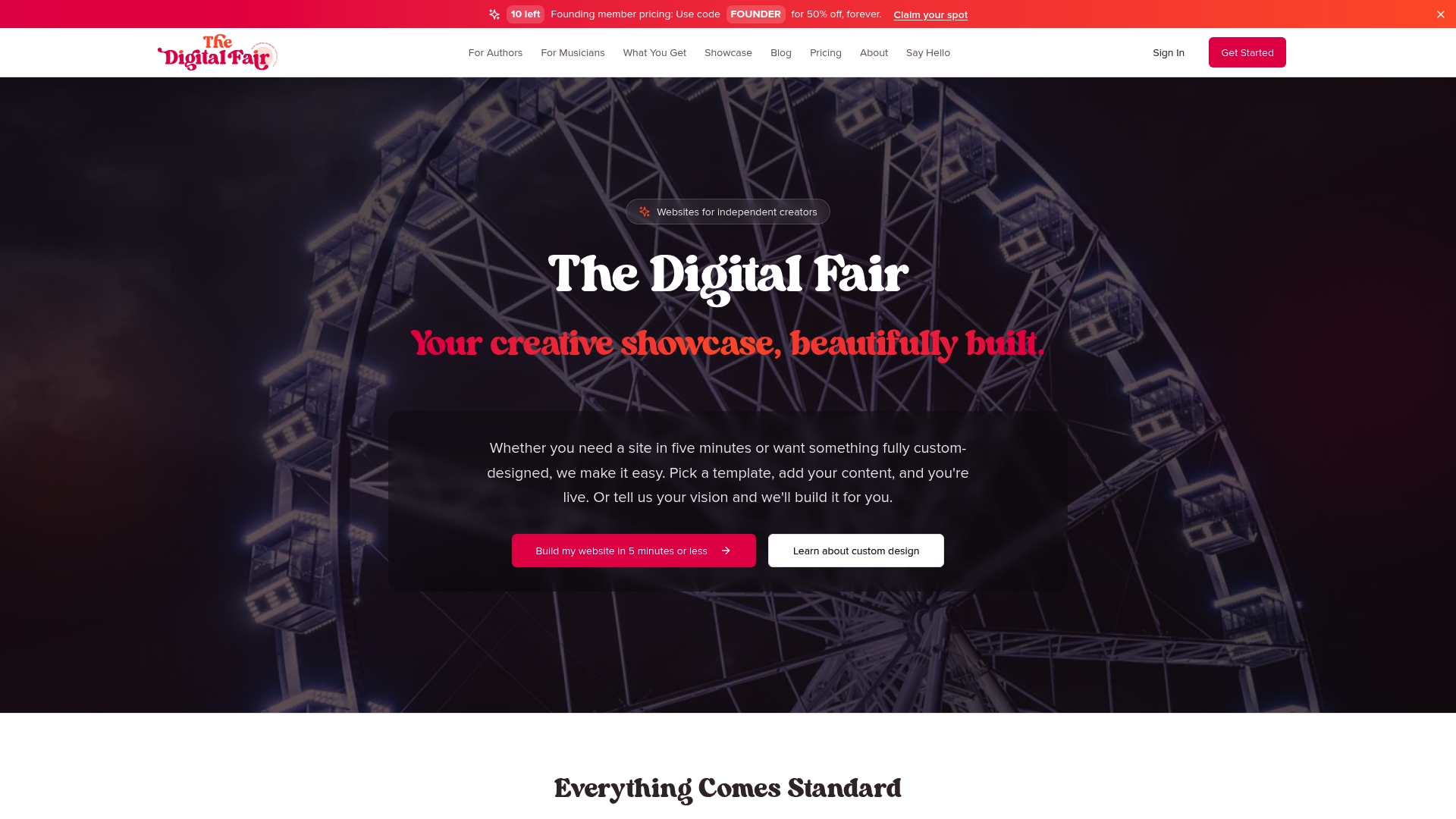
Explore examples like this author website showcasing ISBN integration and engaging layouts that keep readers browsing. Musicians benefit from Spotify embeds that play tracks directly on their pages, increasing streaming time and merchandise conversions. The Digital Fair combines the power of full CMS platforms with the simplicity of instant setup, giving you control without overwhelming options. Start building your professional creative presence today with instant or custom website options that put your music or books front and center.
FAQ
What exactly is a CMS in simple terms?
<p>A content management system is software that lets you build and update websites using forms and visual editors instead of writing code. Think of it as the difference between using a word processor versus typing raw text files. The CMS handles technical details while you focus on creating content.</p>
How does a CMS help non-technical musicians and authors?
<p>CMS platforms provide drag and drop tools, pre-built templates, and simple editors that require no programming knowledge. You can add tour dates, embed Spotify playlists, showcase book covers, and update content instantly without hiring developers or learning to code.</p>
Can I really integrate Spotify and ISBN numbers easily?
<p>Yes, modern CMS platforms offer built-in widgets or simple plugins for Spotify embeds that display your music directly on your pages. For ISBN integration, specialized plugins or fields automatically pull book data including covers, descriptions, and metadata from databases, populating your catalog with minimal manual entry.</p>
Do I need expensive subscriptions to use a CMS?
<p>No, many CMS options offer free or freemium plans. WordPress core is free with costs only for optional hosting and premium themes. Wix and Squarespace provide free starter tiers you can use indefinitely or upgrade when you need custom domains and additional features. Budget-friendly options exist at every level. The Digital Fair CMS is designed with Authors and Musicians in mind and is free to use.</p>
How do I start if I have zero technical experience?
<p>Begin by signing up for free trials on platforms like The Digital Fair, Wix or Squarespace that emphasize ease of use. Follow their setup wizards to choose a template, add basic pages like bio and contact, then experiment with adding your Spotify links or book ISBNs. Most platforms offer tutorials and support to guide you through each step without requiring prior technical knowledge.</p>